Cum conectați CarPlay wireless

1. Intrați în Multimedia din meniul principal al sistemului din fabrică. 
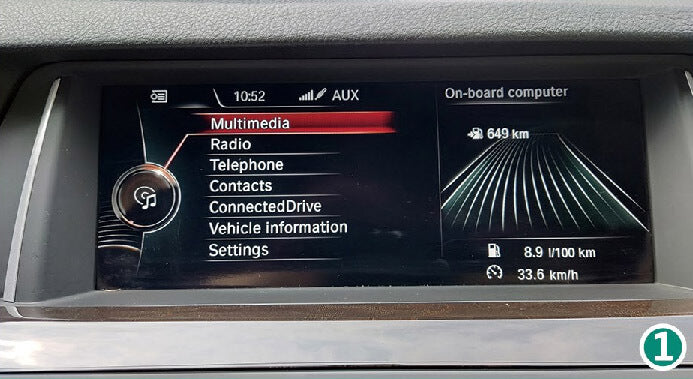
Get Multimedia at the factory main menu.  How To Connect Wireless CarPlay After Install CarPlay Smart Box?

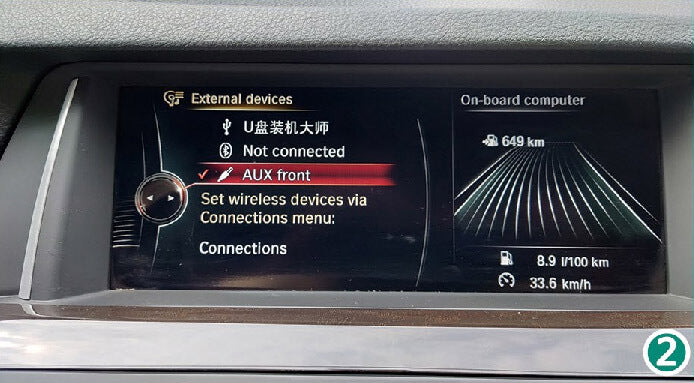
2. Selectați canalul AUX.

Select AUX channel. How To Connect Wireless CarPlay After Install CarPlay Smart Box?

3. Apăsați butonul Switch (vedeți schema de instalare).
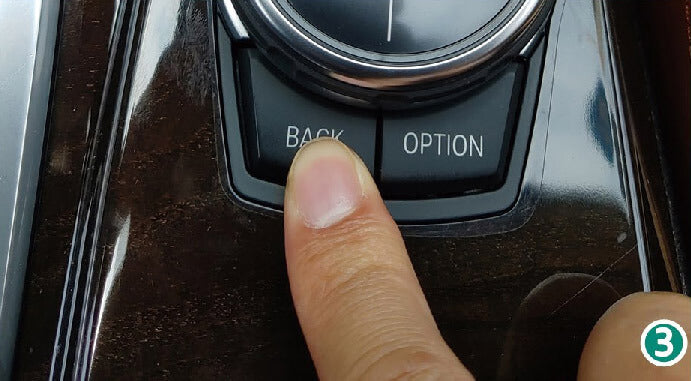
Press Switch button. How To Connect Wireless CarPlay After Install CarPlay Smart Box?

4. Va apărea meniul principal SmartBox.
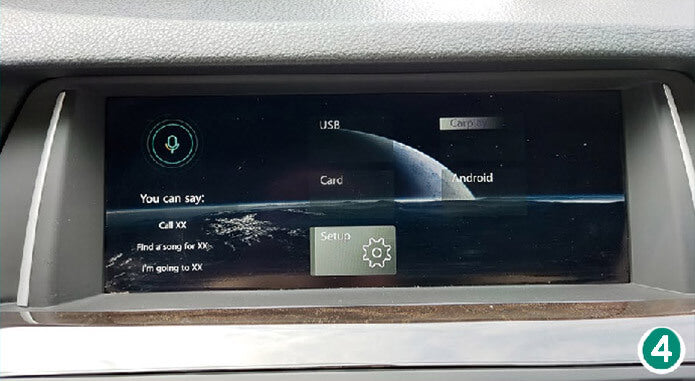
Then will get SmartBox main menu. How To Connect Wireless CarPlay After Install CarPlay Smart Box?

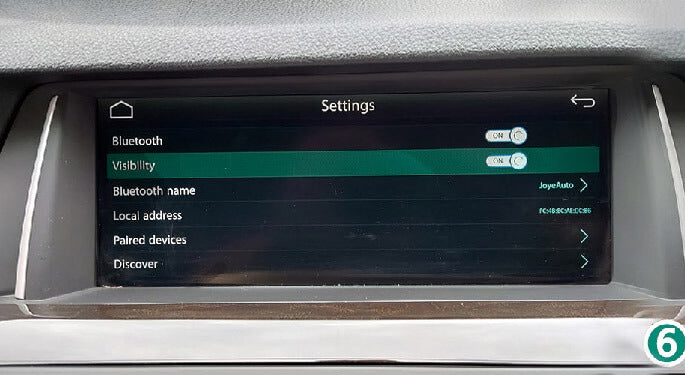
5. Apăsați „Setup”, apoi selectați „Bluetooth”.
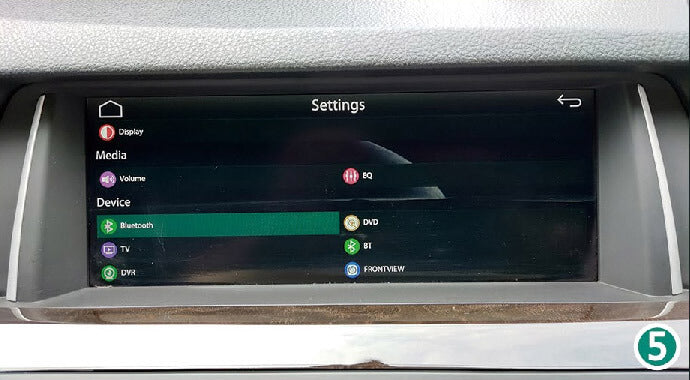
5.Click "Setup", select "Bluetooth". – 5. How To Connect Wireless CarPlay After Install CarPlay Smart Box

6. Activați („ON”) vizibilitatea.

6. Turn "ON" visibility. – 6. How To Connect Wireless CarPlay After Install CarPlay Smart Box

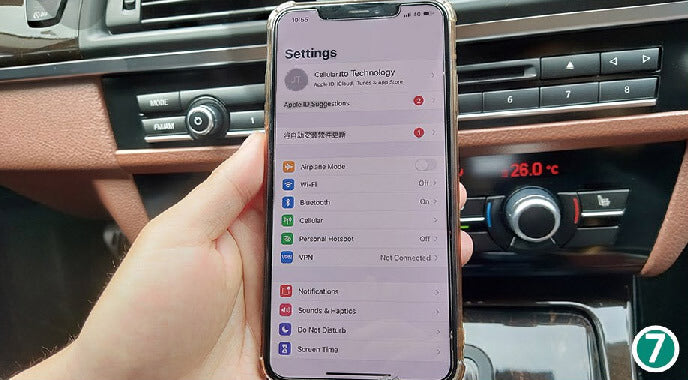
7. Intrați în setările iPhone-ului.

Enter iPhone's settings. How To Connect Wireless CarPlay After Install CarPlay Smart Box?

8. Porniți („ON”) Wi-Fi (NU vă conectați la nicio rețea); va apărea WIFI-AP-*** (nu este nevoie să vă conectați).
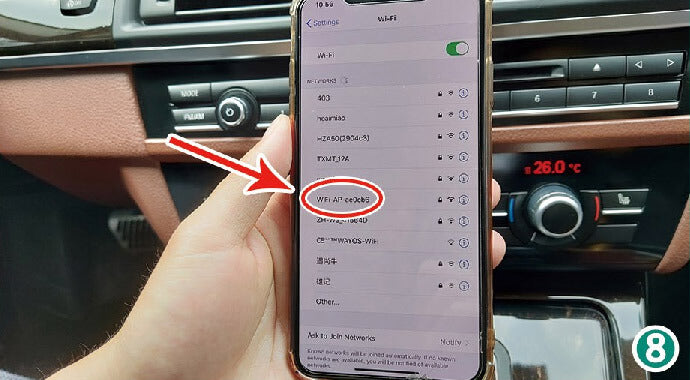
How to Connect Wireless CarPlay – 8. How To Connect Wireless CarPlay After Install CarPlay Smart Box

9. Porniți („ON”) Bluetooth; va apărea opțiunea Bluetooth.
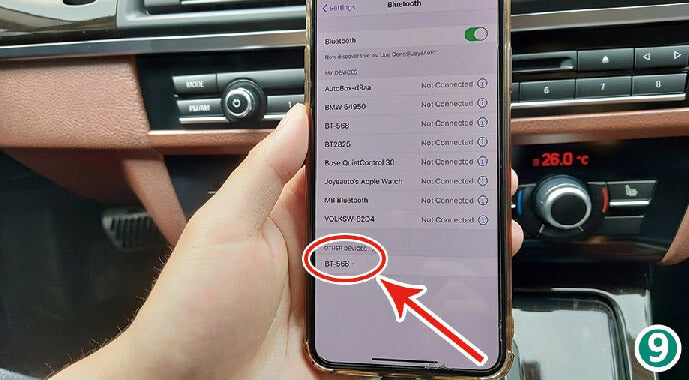
9. Turn "ON" Bluetooth, will get Bluetooth option. – 9. How To Connect Wireless CarPlay After Install CarPlay Smart Box

10. La solicitarea de asociere Bluetooth, apăsați „Pair” (Asociere).
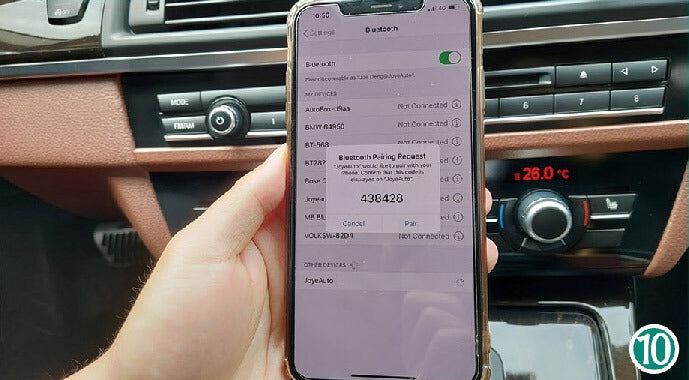
Bluetooth pairing request-pair. How To Connect Wireless CarPlay After Install CarPlay Smart Box?

11. Permiteți sincronizarea contactelor și a favoritelor.
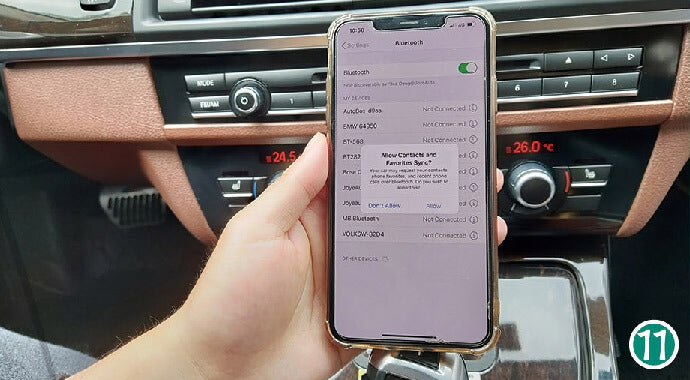
Allow Contacts and Favorites Sync. How To Connect Wireless CarPlay After Install CarPlay Smart Box?

12. Apăsați „Paired device” (dispozitiv asociat) la Bluetooth (vizibilitatea se dezactivează după asociere).
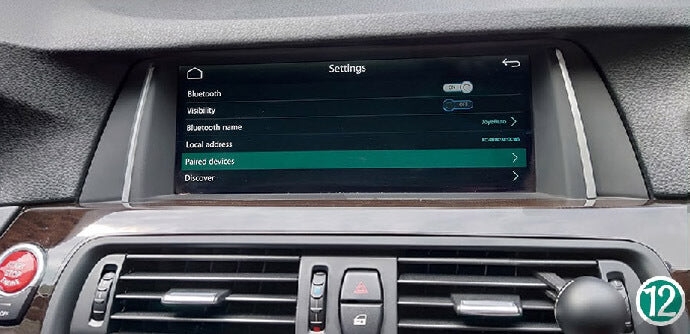
How to Connect Wireless CarPlay – 12. How To Connect Wireless CarPlay After Install CarPlay Smart Box

13. Apăsați pe conexiunea Bluetooth a iPhone-ului.
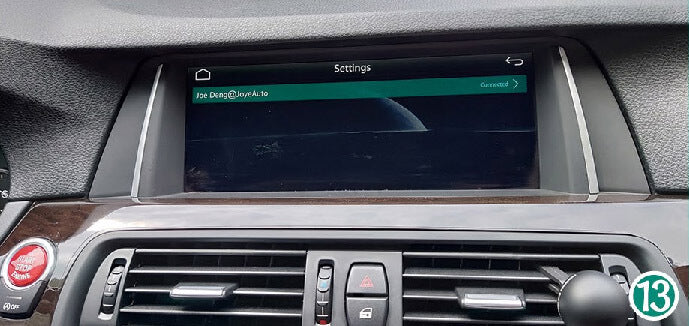
Click the iPhone's Bluetooth. How To Connect Wireless CarPlay After Install CarPlay Smart Box?

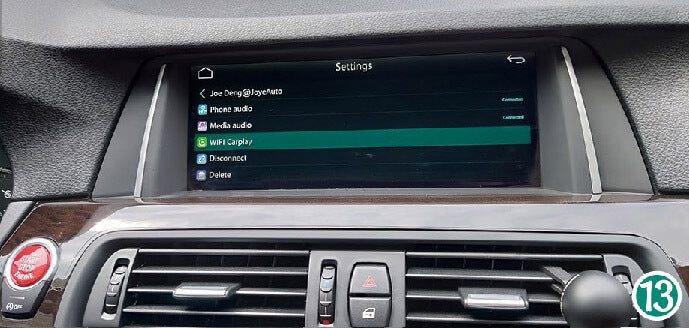
14. Apoi apăsați WIFI Carplay.

Then click WIFI Carplay. How To Connect Wireless CarPlay After Install CarPlay Smart Box?

15. Pe iPhone apare solicitarea „Use CarPlay” (Folosiți CarPlay); apoi intră automat în CarPlay.
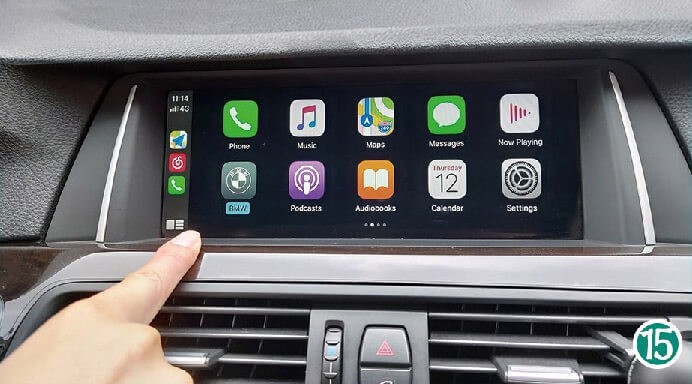
iPhone will get USE CarPlay request, then will enter CarPlay automatically. How To Connect Wireless CarPlay After Install CarPlay Smart Box?

Gata, totul este configurat. Bucurați-vă de CarPlay!